
Ultimate Call Screen HD Pro v10.3.0 Apk

Download: Ultimate Call Screen HD Pro v10.3.0 Apk | 1.6 MB | Mediafire
Requires Android:2.1 and up
Requires Android:2.1 and up
Ultimate Call Screen HD: Fullscreen Caller ID. Call Blocker and Sensor actions!
What’s in this version :
- Contact manager now has its own tab on Settings, including Fast Scroll and visual status indicators
- More efficient contact lists
- Fixed issue with default Video ID for known contacts showing even if contact was personalized
- Fixed visibility issues on Facebook lists when using Dark UI
App Review:
Ultimate Call Screen HD Free combines a
Fullscreen Caller ID replacement, contact picture manager, call blocker,
and, on top of that, sensor-base actions such as rejecting calls by
turning the phone screen-down, and swipe gestures just to be sure you
handle your phone any way you want to.
Feature :
General:
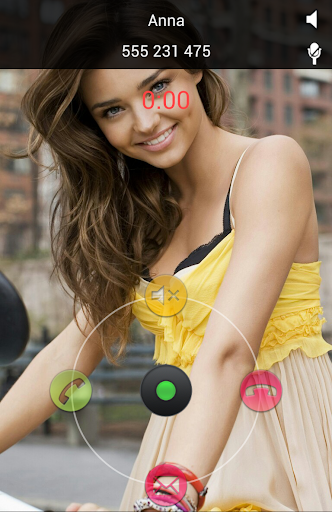
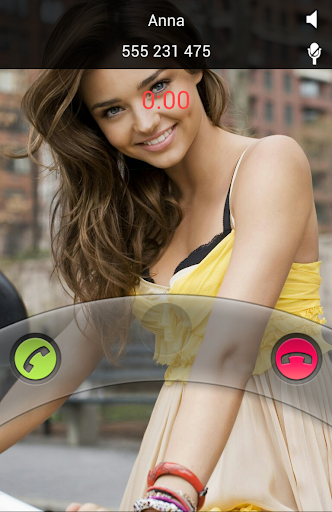
Full Screen Caller ID
Call Blocker
Sensor based actions
With the Pro License you are also able to:
Feature :
General:
- - No limit on number of contacts to personalize.
- - Apply pictures to contacts directly from your gallery, with the android “share” function. Just choose “Add to UCS”!
Full Screen Caller ID
- - Selectively enable only for outgoing/incoming calls
- - Enable and configure swipe up gesture to reject, answer, reject with SMS, or default phone interface.
- - Press “Back” when UCS is handling a call to jump back to your default phone interface
- - Choose pictures from gallery or take from camera
- - Image cropper with multi-touch zooming
- - Per-contact blocking
- - Preview each contact callscreen
- - Define a global default HD picture
- - Optional on-screen “loudspeaker” button
- - Option to show/hide status bar on lockscreen
- - Optional haptic feedback (vibrate)
- - Different default pictures for known and unknown contacts
- - Hide parts of the call screen for cleaner interface.
Call Blocker
- - Block individual contacts.
- -Global Activate/deactivate call blocking
Sensor based actions
- - Activate/deactivate sensor actions
- - Set the “Turn to reject” feature: Turn the phone screen-down to reject an incoming call.
With the Pro License you are also able to:
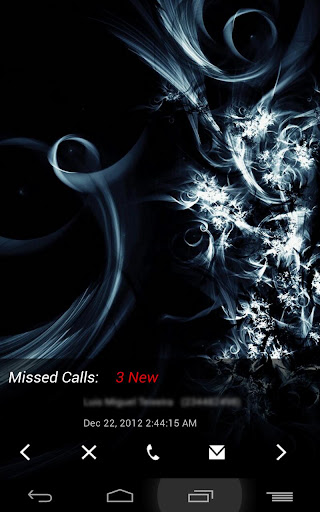
- - Intercept and show SMS messages with fullscreen caller picture below. Fully themable SMS screen.
- - Option to make incoming SMS show above lockscreen, including turning the screen on
- - Dismiss or reply to sms directly from UCS SMS screen, with buttons or swipe gestures
- - Swipe through all your inbox SMS messages, not just the incoming
- - Link your contacts to Facebook friends and use their HD profile pictures as call screen.
- - Setup UCS to use your current android contact picture as fullscreen caller ID.
- - Enable swipe gestures in every direction, both in calls and SMS screen
- - Use UCS themes to personalize your call screen even more! Different default themes for known and unknown contacts, as well as hiding callscreen elements.
- - Setup different themes for individual contacts
- - Activate the “Turn to mute ring” feature (if your hardware supports it).
- - Activate the “Turn for loudspeaker” feature (if your hardware supports it).
- - Activate the “Block all incoming calls” feature: every single call will be blocked.
- - Activate the “Whitelist mode”. This allows you to invert the blocking selection, and all contacts NOT marked for blocking will be blocked.
- - Activate the “Block Unknown Callers” feature.


 Posts
Posts


0 comments: